Viewing Online Work Requests
A work request is a record of a problem that has been reported by a guest. View guest work requests through VR Management - Guests - Lookup a Work Request, through VR Management - Vendors - Lookup a Work Request, or through VR Management - Workorders - Work Request Lookup. Configure the search parameters to locate a specific online Work Request, or leave the search parameters blank to view all online work request records.
The property management company's Maintenance Contact receives a notification email when an online work request is submitted. If Maintenance Contact Info is enabled under System Options, then the Maintenance Contact information is also displayed on the guest online work request form.
Lookup a Work Request (Figure 69a)
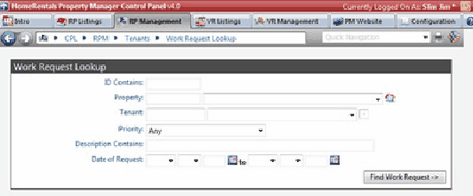
Figure 69a
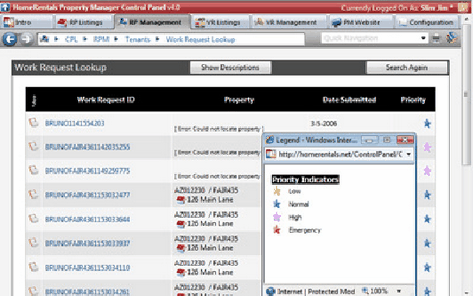
Figure 69b
The work request summary screen (Figure 69b) displays the work request ID, the property ID and address, the date that the work request was submitted, and a priority indicator (Figure 69b). If the property ID and address are not displayed, then the listing/owner system connection has not yet been established. Review the Sync Listings from VRM or the Managing Online Profiles (Owner profiles) sections of this guide for instructions about establishing the listing/owner connections.
Click on the View icon beside a specific work request record to review its details. (Figure 69c) The detail view includes all of the data entered by the guest. If a work request field has no information displayed, it was not configured as a required field and the guest chose not to complete it.
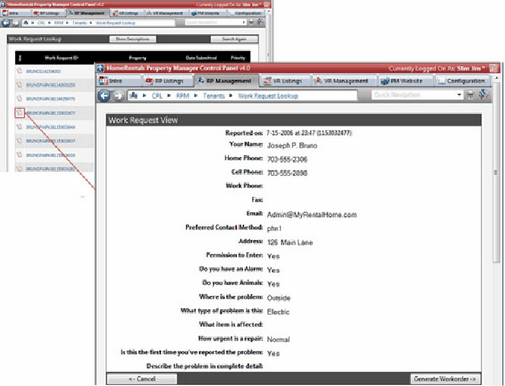
Figure 69c
Click on Generate Workorder to convert the guest work request into a workorder for the responsible vendor.
Generating a Workorder
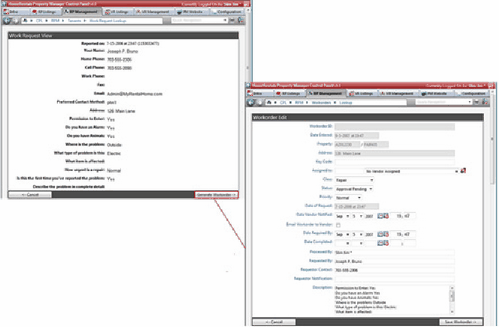
Figure 69d
| 1. | Click on Generate Workorder in the work request detail screen (Figure 69d). |
| 2. | The information that the guest entered into the online work request fields will automatically populate the corresponding workorder form fields. The user must fill in the remaining fields; it is critical that the user assign the workorder to a specific vendor and enter the completion due date (Date Work Required By). |
| 3. | Mark the Email Workorder to Vendor option to email a copy of this workorder to the responsible vendor. |
| 4. | Click Save Workorder to save the workorder and, if selected, email it to the responsible vendor. |